



How to activate
- Install Steam and sign in to your account (a free account is enough).
- In the top menu choose Games → Activate a Product on Steam…
- Enter your key exactly as shown in your order (with dashes) and confirm. The game appears in your library.
About
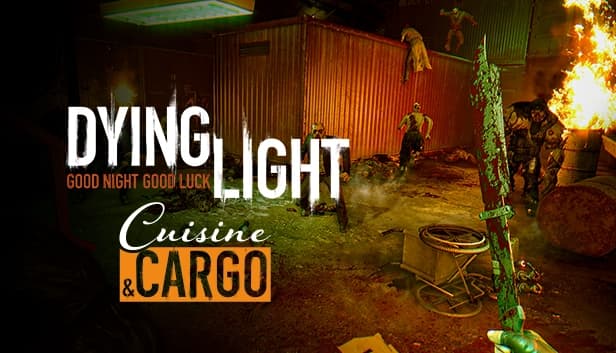
Dying Light – Cuisine & Cargo
Dying for more action? Take up the challenge of two hardcore Quarantine Zones. Employ a mix of stealth and combat to ransack and investigate ominous, Infected-filled corridors of the once most famous restaurant in Harran and an abandoned rail yard. Great spoils are believed to be abound in these places, but no one who ever walked in made it out alive to tell the story. Wanna be the first?
System Requirements
Minimum
- OS
- Windows® Windows Vista® (SP2) / Windows® 7 (SP1) / Windows® 8
- Processor
- Intel® Core™2 Duo/AMD Athlon™ 64 X2 @3GHz, Intel Core i5 @2.4GHz
- Memory
- 4 GB RAM
- Graphics
- DirectX® 10–compliant, 512 MB VRAM
- DirectX
- 10
- Storage
- 20 GB HD space
- Sound Card
- DirectX® 10–compliant
- Additional
- This is just predicted hardware setup, details can change slightly over time as the game is still under development.
Recommended
- OS
- Windows® 7 (SP1) 64bit / Windows® 8 64bit
- Processor
- quad core CPU @3GHz
- Memory
- 8 GB RAM
- Graphics
- Radeon 7900 Series / GeForce GTX 670, >2GB VRAM
- DirectX
- 11
- Storage
- 20 GB HD space
- Sound Card
- DirectX® 10–compliant
- Additional
- This is just predicted hardware setup, details can change slightly over time as the game is still under development.
Legal information
DYING LIGHT & DYING LIGHT: THE FOLLOWING © Techland 2020. Published by Techland. All other trademarks and copyrights are the property of their respective owners.